November 2026. A few changes went live on the browser game at play.bethlehem317.com: the game world is no longer too dark, hint arrows now show, and on a phone you can swipe to scroll. On iPhones and iPads the game is also sharper. There's nothing to download. If you already have the game open, just reload the page.
No longer too dark
Before The browser game drew every map darker than the desktop client. It applied the game's brightness step twice, where the desktop client applies it once. On the same spot at home, the grey ground measured 94 on the desktop client and 55 in the browser.
Now The browser applies it once, so it matches the desktop client: the same spot now measures 94. This is on every map, not only new ones. Only the game world gets lighter (ground, walls, objects, NPCs and players). Inventory icons and the side panels already matched, so they look the same as before.
- 94 grey ground on the desktop client
- 55 the same spot in the browser before
- 94 the browser now
On a computer
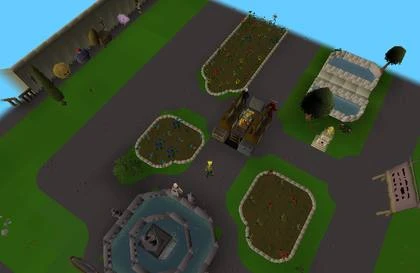
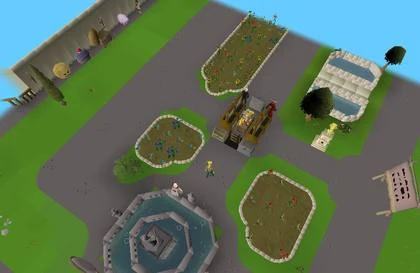
On a computer
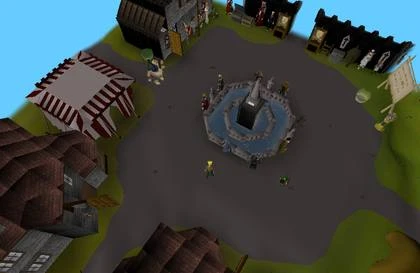
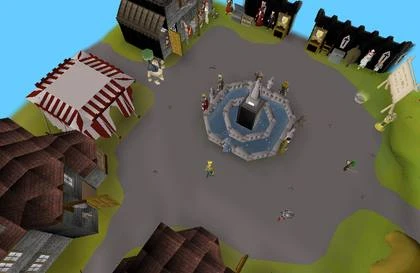
On a computer
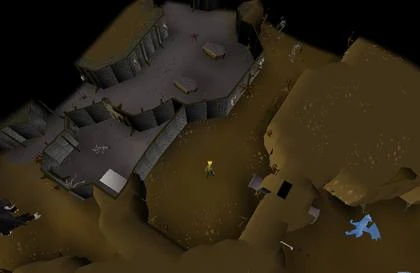
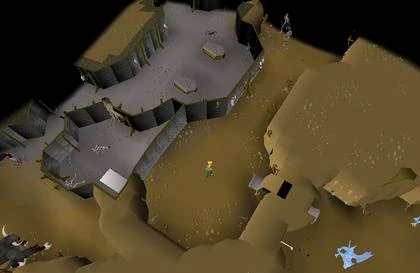
Live since 23 November.
Hint arrows now show
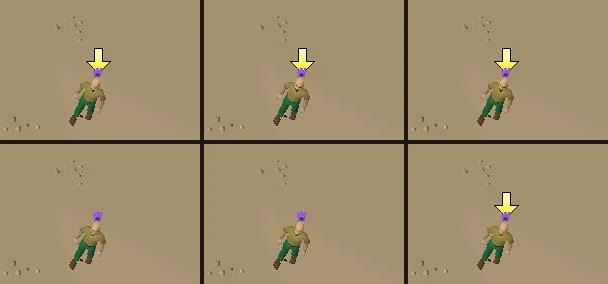
Before The game sends yellow hint arrows, for example over your opponent at the Duel Arena or over your Bounty Hunter target. The desktop client drew them. The browser received them but never drew them.
Now The browser draws the arrow over the target and blinks it the same way the desktop client does.
A broken first download fixes itself
Before The first time you open the browser game, it downloads the game files. If the connection dropped during that download, the page stopped on a black screen that said "Failed to fetch", and you had to know to reload it.
Now It tries again by itself, up to 3 times, and carries on from where it stopped. If it still can't finish, it says "The game could not finish loading." and shows a Reload button.
On a computer

Hint arrows and the download fix: live since 26 November.
Swipe to scroll on phones
Before On a phone, the only way to scroll a game window was its thin scrollbar or its tiny arrows.
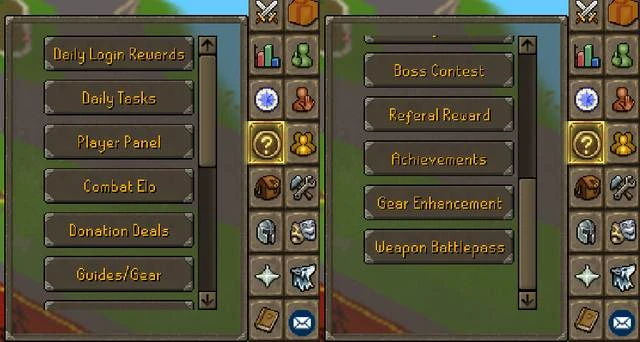
Now Drag a finger up or down inside a scrolling game window and the text moves with your finger. It works in quest scrolls, the side-tab lists, the bank, the Grand Exchange search and the chat. Flick it and it glides on, slowing to a stop. Touch it again to stop it.
- A tap still clicks. A swipe never clicks anything when you lift your finger.
- Hold still for half a second and the options menu opens, as before.
- The scrollbar, its arrows and moving bank items work as before. Nothing changes on a computer with a mouse.
We also fixed a phone problem: the phone's browser sometimes took a swipe as "scroll the web page" and cut the game off half way through. That could also interrupt scrollbar drags and the hold-for-menu.
On iPhones and iPads the game world was drawn at half size, so it looked blurry. It's now drawn at full size, like on Android phones.
Live since 27 November.
How to get it
Open or reload play.bethlehem317.com. There's nothing to download, and the desktop client doesn't change.